MongoDB Atlas is an automated cloud MongoDB service. It provides limited free space to developers with basic MongoDB features to create their application database. If you want you can get more space by paying a monthly fee. Other than using a local MongoDB database, using this cloud service more productive.
Why Atlas Cloud?
- Easy to setup
- More security
- High scalability
- High Reliability because of cloud features.
How to create the Database
First, go to the MongoDB atlas site and create an account.
Then the site will prompt you to a page to build your first cluster.
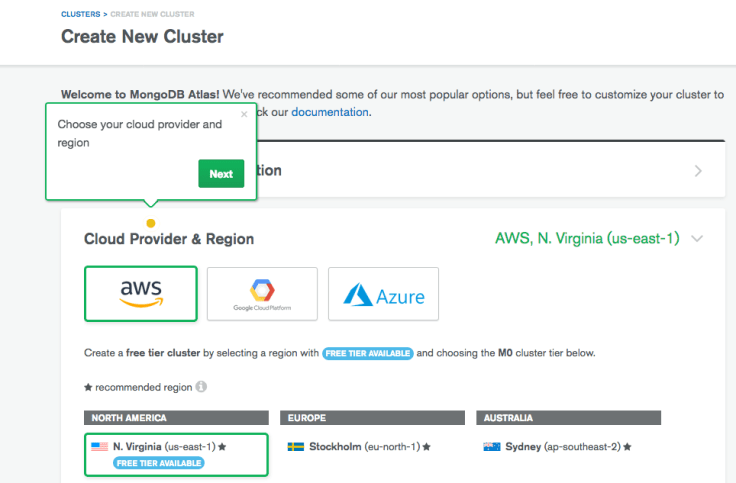
Select a cloud provider and a region with a free tier available label.
Then add a name to your cluster and hit create cluster to deploy the cluster.
Create the connection
For this, you need to create IP address whitelist and mong DB user. The white list is there for security. Atlas only allows the IP address in whitelist to access the database. Mongo DB user is a different user from atlas user.
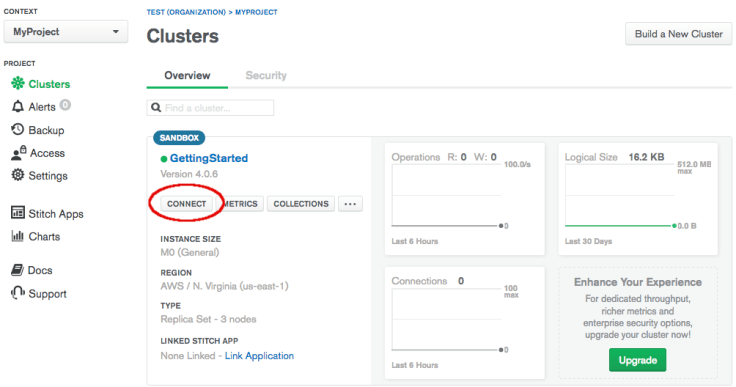
Click the connect button to add your IP address to white list. The it will open a dialog box like below
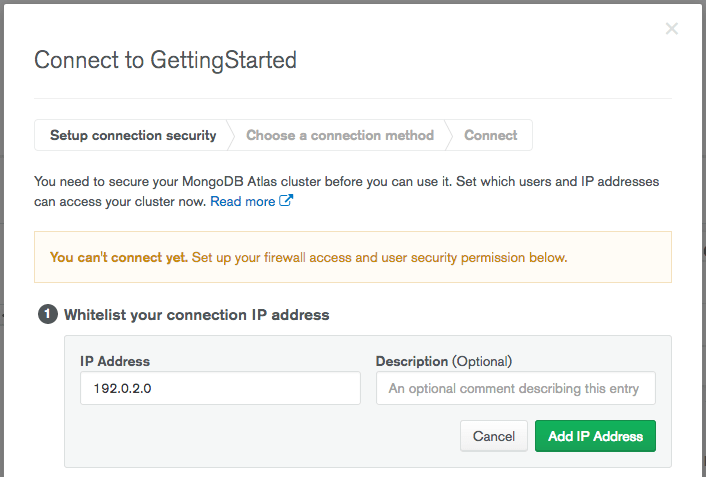 In here add your current IP address. Then It will only allow you to access the database through that IP address only.
Next, you need to create a user to access the database. In the same dialog box that created the white list add the user.
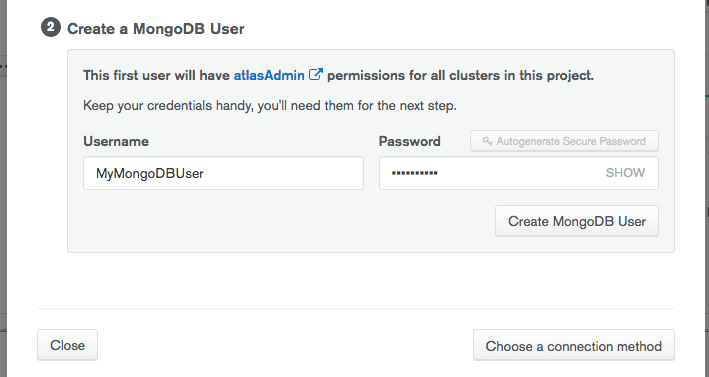
Now you can connect your application to the Database .To that in the same dialog box hit Choose a connection method button.
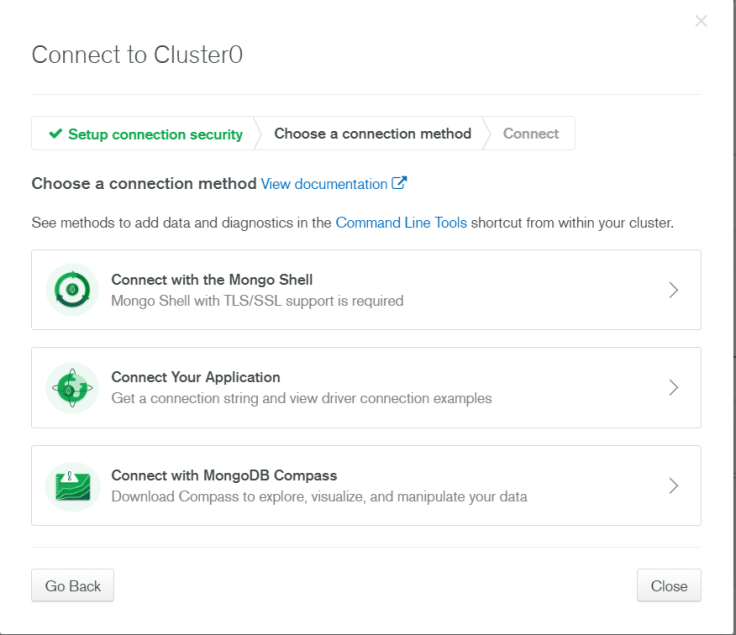
Then select Connect Your Application and follow the instruction according to your language.
 Code Anatomy
Leave a comment